User Guide
Global Coordinates Mapper from Screens
The ScreenCoordsMapper tool allows users to calculate global coordinates from points clicked on camera screens. It is useful for determining the corresponding global positions from visual data. This guide will show you how to use it.
Mapping Clicked Screen Points to Global Coordinates
When you click on camera screens used for probe calibration, the system converts the clicked position into global coordinates.
Steps to Use Screen Coordinates Mapping:
Select the item that starts with ‘Proj Global Coords’ from the global coordinates dropdown menu.

Click on the camera screens used for probe calibration. The tool automatically calculates the corresponding global coordinates based on the clicked position.

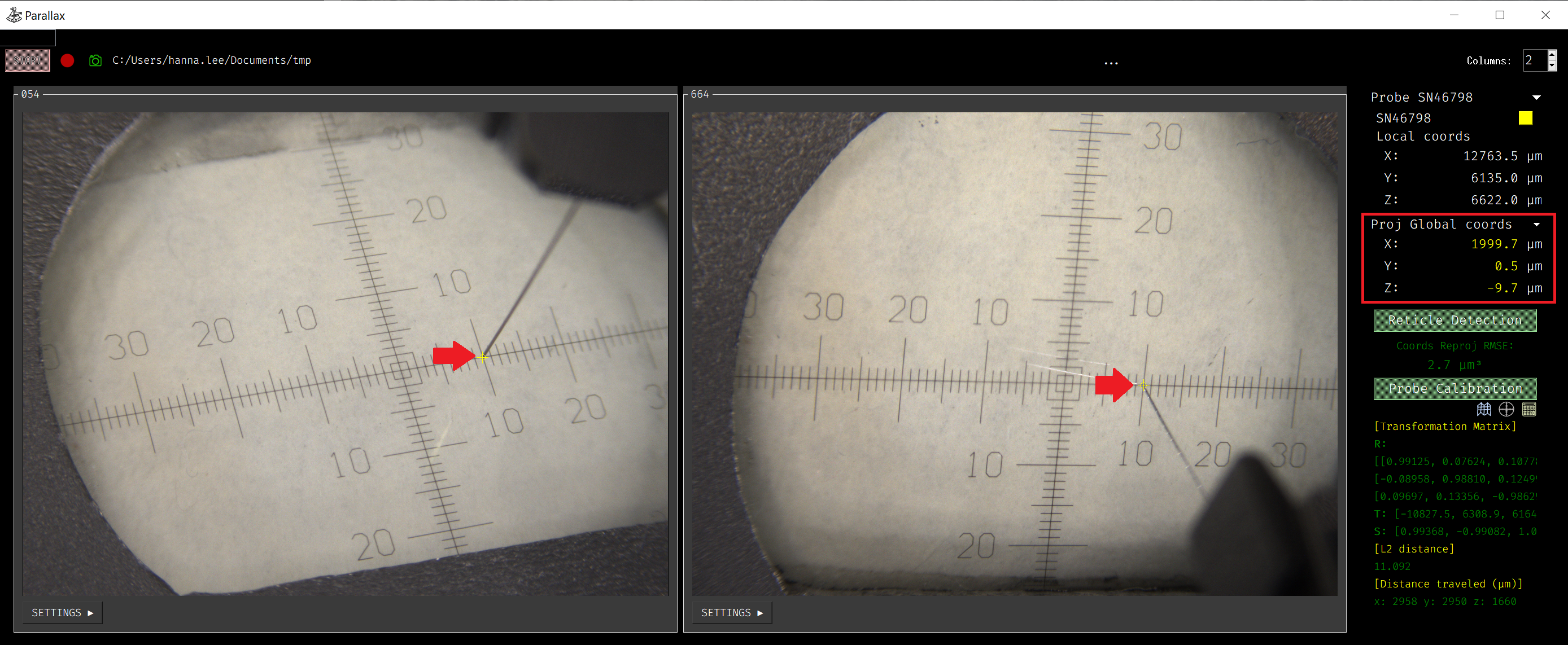
If a reticle is selected, its metadata (such as offsets and rotation) will be applied to the calculated global coordinates.