Getting Started
Prerequisites
Pathfinder MPM Software version 2.8.0 or later
PySpin (for Linux or Mac OS users)
Installing and Upgrading
- 1. Create a virtual environment using Python 3.8 and activate it:
On Windows:
python -m venv venv
./venv/Scripts/activate
On Linux/Mac:
python -m venv venv source venv/bin/activate- 2. Install the latest version:
To upgrade to the latest version:
pip install parallax-app --upgrade- 3. To install the camera interface:
Running Parallax
Run the Pathfinder MPM Software application to connect to the manipulator:
Run Pathfinder MPM Software (v2.8.0 or later) in administrator mode.
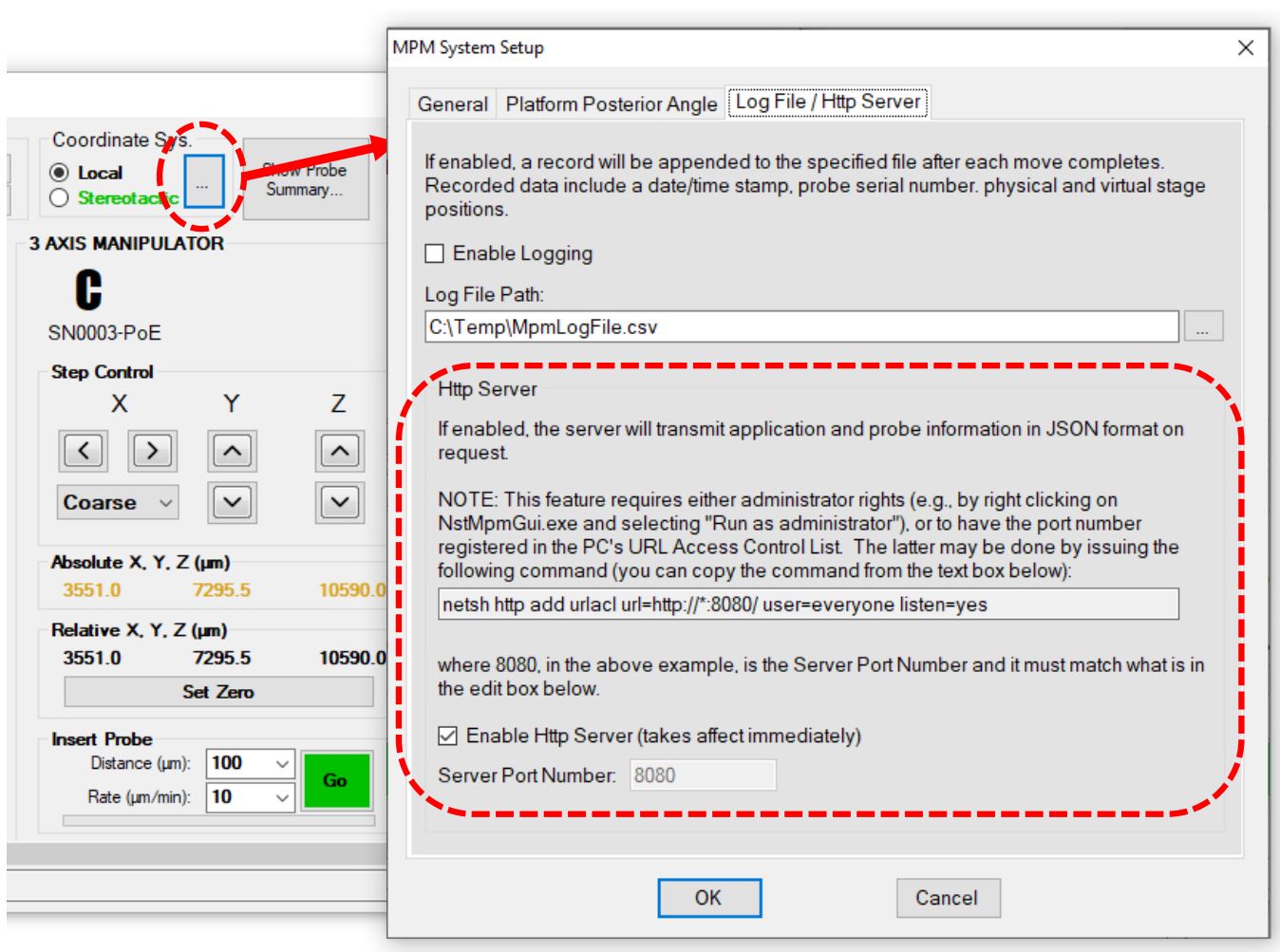
- Enable the HTTP server.
Version 2.8.0 of the Pathfinder MPM software includes an HTTP listener that can send probe information to a client program.
Enable the HTTP server in the “MPM System Setup” dialog.
Click the “Enable HTTP Server” checkbox to turn on the service.
Run the Parallax application:
python -m parallax
Other Things to Note
Development Mode
Clone the repository:
git clone https://github.com/AllenNeuralDynamics/parallax.gitInstall dependencies:
pip install -e .[dev]
Documentation
Install dependencies:
pip install -e .[docs]Create the documentation HTML files:
sphinx-build -b html docs/source docs/_build